How to choose a keyboard for work and gaming
- 23 Feb, 2026
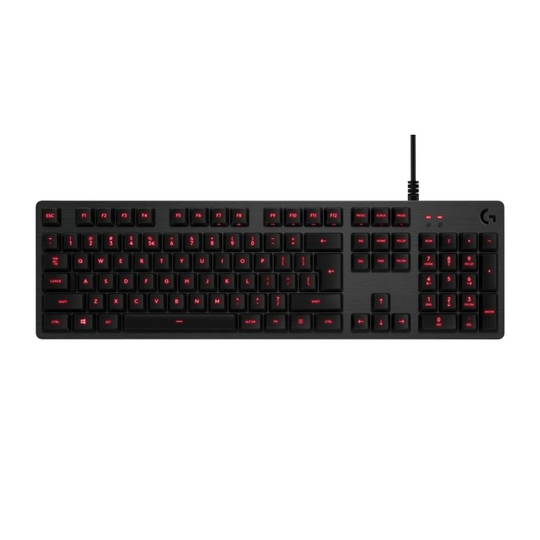
The keyboard is the part of a computer setup you touch more than any other, yet it is often the last thing people think about when upgrading. Whether you spend the day writing emails and spreadsheets or the evening playing games, a keyboard that suits your hands and habits makes the whole setup more pleasant to use. This guide walks through the choices that actually matter, so you can pick one with confidence instead of judging by the lighting effects alone.
Mechanical or membrane?
Most keyboards fall into two broad groups. Membrane keyboards use a rubber dome under each key. They are usually quieter, lighter and cheaper, and many people find them perfectly comfortable for office work. Mechanical keyboards have an individual switch under every key. They tend to feel more precise, last longer and offer more choice in how each key responds, but they are usually louder and more expensive.
There is no right answer here. If you share an office or a room with someone, a quiet membrane or low-profile keyboard may be the kinder option. If you type a lot or play fast games and want consistent, crisp feedback, a mechanical model is worth considering.
Understanding switch types
On mechanical keyboards, the switch decides how a key feels. Manufacturers use different names and colours, so always read the product description, but switches generally fall into three families:
- Linear: smooth all the way down with no bump. Popular for gaming because rapid repeated presses feel even.
- Tactile: a small bump tells your finger the key has registered. A common all-round choice for typing and gaming.
- Clicky: a bump plus an audible click. Satisfying for some typists, but noisy for anyone sitting nearby.
If you can, try a few keyboards in person or order a switch tester. Feel is personal, and what one person loves another finds tiring.
Size, layout and connection
Keyboards come in several sizes. A full-size board includes a number pad, which is useful for spreadsheets and data entry. Tenkeyless models drop the number pad and give your mouse more room, which many gamers prefer. Compact 75 percent and 60 percent boards save even more space but move some keys to secondary layers, which takes time to get used to.
Check the layout before you buy as well. UK, US and other international layouts place keys such as Enter, @ and the currency symbols differently, and a mismatch is annoying every single day.
Wired keyboards are simple and never need charging. Wireless models keep the desk tidy and are handy if you move between a laptop and a desktop. Many wireless keyboards offer both a USB receiver and Bluetooth, so check which connection suits your devices. Browse our keyboards category to compare wired and wireless options side by side.
Comfort and extras that are worth having
Long sessions at the desk are where small details pay off. Things worth looking at include:
- Adjustable feet: to change the angle of the board to suit your posture.
- A wrist rest: some keyboards include one, otherwise a separate rest can help keep your wrists in a more neutral position.
- Backlighting: useful in a dim room, and adjustable brightness matters more than the number of colour effects.
- Media keys and a volume wheel: convenient for music and calls without leaving your game or document.
- USB pass-through: a port on the keyboard itself for a mouse, headset or flash drive, as on the Logitech G413.
If you experience pain or discomfort when typing, an ergonomic keyboard and regular breaks can help, and it is sensible to speak to a doctor or physiotherapist if it persists.
Keep it clean
Whatever you choose, a little care keeps it working well. Turn the keyboard upside down and shake out crumbs from time to time, use a soft brush or compressed air between the keys, and wipe the surface with a slightly damp cloth while it is unplugged. A well chosen and well kept keyboard can easily outlast several computers, which makes it one of the better value upgrades you can make to your setup.